プログラムによる言語機能
プログラムによる言語機能は、vscode.languages.* API を利用したインテリジェントな編集機能のセットです。Visual Studio Code で動的な言語機能を提供する一般的な方法は 2 つあります。ここでは ホバー を例に説明します。
vscode.languages.registerHoverProvider('javascript', {
  provideHover(document, position, token) {
    return {
      contents: ['Hover Content']
    };
  }
});
上記のように、vscode.languages.registerHoverProvider API を使用すると、JavaScript ファイルにホバー コンテンツを簡単に提供できます。この拡張機能がアクティブ化されると、JavaScript コードのどこかにカーソルを合わせると、VS Code は JavaScript 用のすべての HoverProvider をクエリし、結果をホバー ウィジェットに表示します。言語機能リストと以下の図解 gif は、拡張機能に必要な VS Code API / LSP メソッドを簡単に見つけるのに役立ちます。
代替アプローチとして、Language Server Protocol を話す言語サーバーを実装するという方法があります。その仕組みは次のとおりです。
- 拡張機能は、JavaScript 用の言語クライアントと言語サーバーを提供します。
- 言語クライアントは、Node.js 拡張機能ホストのコンテキストで実行される、他の VS Code 拡張機能と同様のものです。アクティブ化されると、別のプロセスで言語サーバーを起動し、Language Server Protocol を介して通信します。
- VS Code で JavaScript コードにカーソルを合わせます
- VS Code が言語クライアントにホバーを通知します
- 言語クライアントが言語サーバーにホバー結果をクエリし、VS Code に返します
- VS Code がホバー結果をホバー ウィジェットに表示します
プロセスはより複雑に見えますが、2 つの大きな利点があります。
- 言語サーバーはどの言語でも記述できます。
- 言語サーバーは、複数のエディターにインテリジェントな編集機能を提供するために再利用できます。
より詳細なガイドについては、言語サーバー拡張機能ガイドを参照してください。
言語機能リスト
このリストには、各言語機能について次の項目が含まれます。
- VS Code での言語機能の図解
- 関連する VS Code API
- 関連する LSP メソッド
診断の提供
診断とは、コードの問題を示す方法です。

Language Server Protocol
言語サーバーは textDocument/publishDiagnostics メッセージを言語クライアントに送信します。このメッセージは、リソース URI の診断項目の配列を運びます。
注意: クライアントはサーバーに診断を要求しません。サーバーが診断情報をクライアントにプッシュします。
直接実装
let diagnosticCollection: vscode.DiagnosticCollection;

export function activate(ctx: vscode.ExtensionContext): void {
  ...
  ctx.subscriptions.push(getDisposable());
  diagnosticCollection = vscode.languages.createDiagnosticCollection('go');
  ctx.subscriptions.push(diagnosticCollection);
  ...
}

function onChange() {
  let uri = document.uri;
  check(uri.fsPath, goConfig).then(errors => {
    diagnosticCollection.clear();
    let diagnosticMap: Map<string, vscode.Diagnostic[]> = new Map();
    errors.forEach(error => {
      let canonicalFile = vscode.Uri.file(error.file).toString();
      let range = new vscode.Range(error.line-1, error.startColumn, error.line-1, error.endColumn);
      let diagnostics = diagnosticMap.get(canonicalFile);
      if (!diagnostics) { diagnostics = []; }
      diagnostics.push(new vscode.Diagnostic(range, error.msg, error.severity));
      diagnosticMap.set(canonicalFile, diagnostics);
    });
    diagnosticMap.forEach((diags, file) => {
      diagnosticCollection.set(vscode.Uri.parse(file), diags);
    });
  })
}
基本
開いているエディターの診断を報告します。最小限、これは保存時に発生する必要があります。より良いのは、診断はエディターの未保存のコンテンツに基づいて計算されるべきです。
高度な機能
開いているエディターだけでなく、フォルダー内のすべてのリソース(エディターで一度も開かれたことがない場合でも)の診断を報告します。
コード補完候補の表示
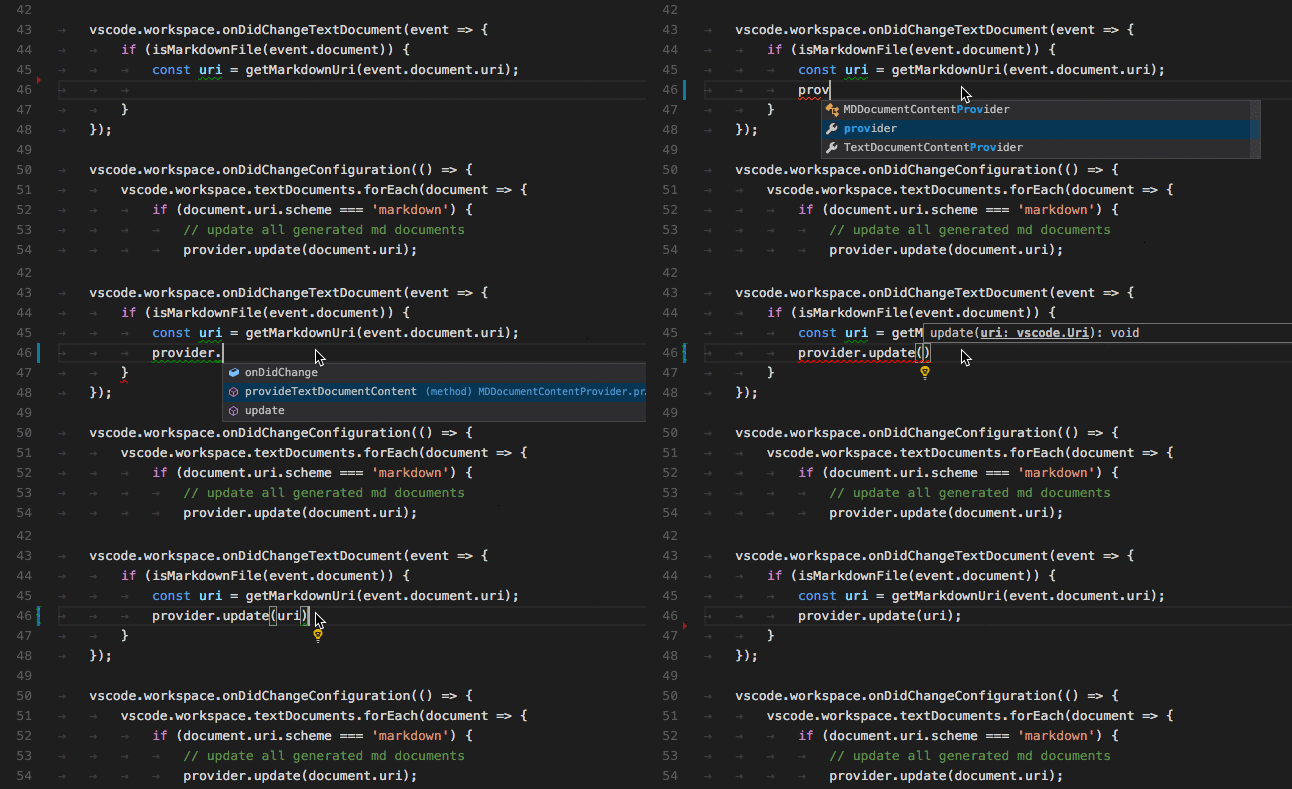
コード補完は、ユーザーにコンテキストに応じた提案を提供します。
Language Server Protocol
initialize メソッドの応答で、言語サーバーは補完を提供する意思と、補完項目の追加情報を提供するために completionItem\resolve メソッドをサポートするかどうかをアナウンスする必要があります。
{
    ...
    "capabilities" : {
        "completionProvider" : {
            "resolveProvider": "true",
            "triggerCharacters": [ '.' ]
        }
        ...
    }
}
直接実装
class GoCompletionItemProvider implements vscode.CompletionItemProvider {
    public provideCompletionItems(
        document: vscode.TextDocument, position: vscode.Position, token: vscode.CancellationToken):
        Thenable<vscode.CompletionItem[]> {
    ...
    }
}

export function activate(ctx: vscode.ExtensionContext): void {
    ...
    ctx.subscriptions.push(getDisposable());
    ctx.subscriptions.push(
        vscode.languages.registerCompletionItemProvider(
            GO_MODE, new GoCompletionItemProvider(), '.', '\"'));
    ...
}
基本
解決プロバイダーはサポートしていません。
高度な機能
ユーザーが選択した補完候補に追加情報を提供する解決プロバイダーをサポートします。この情報は、選択された項目の横に表示されます。
インライン補完の表示
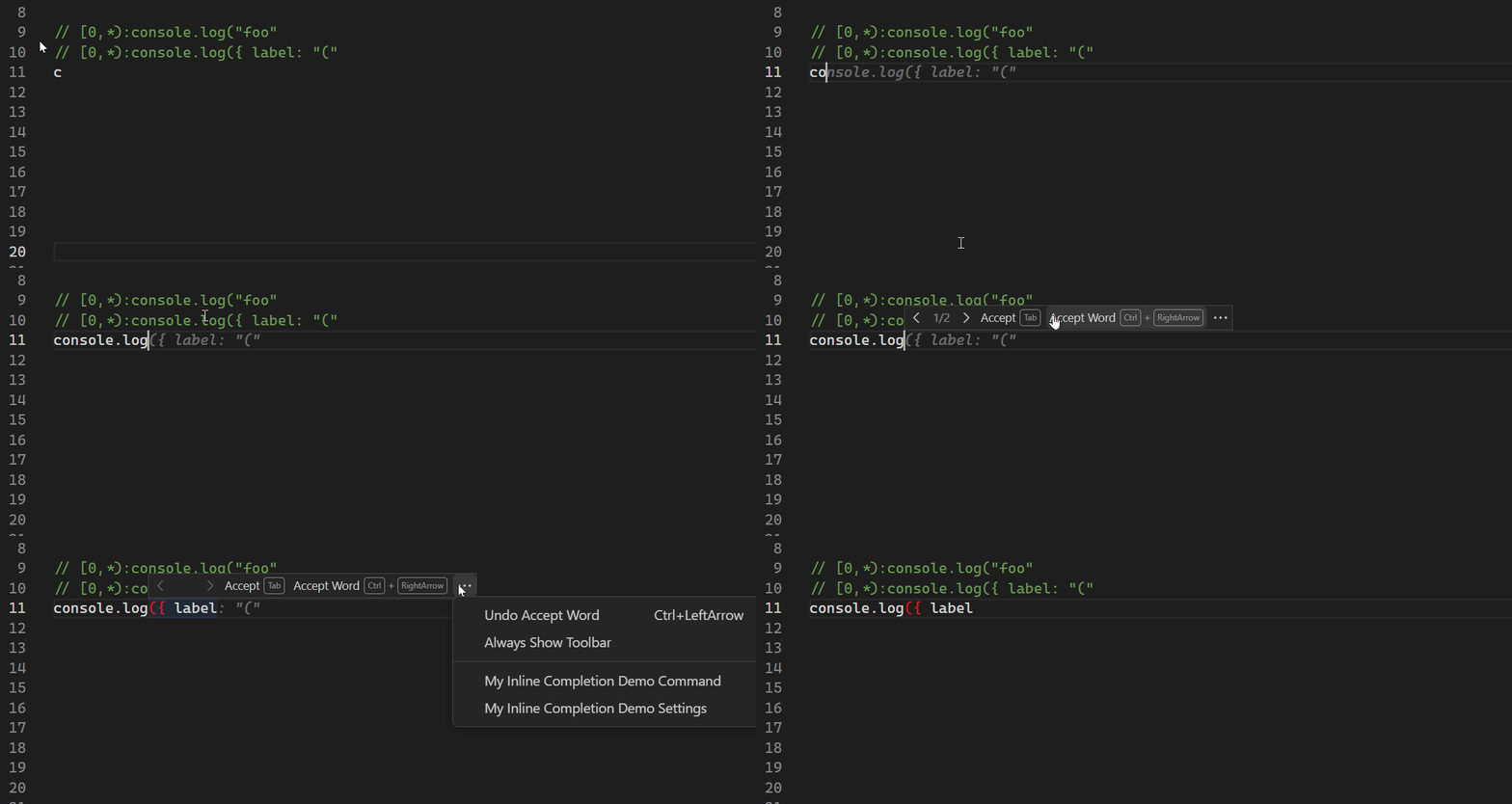
インライン補完は、エディター内に複数トークンの提案を直接表示します(*ゴーストテキスト*)。
直接実装
vscode.languages.registerInlineCompletionItemProvider({ language: 'javascript' }, {
    provideInlineCompletionItems(document, position, context, token) {
        const result: vscode.InlineCompletionList = {
            items: [],
            commands: [],
        };

        ...

        return result;
    }
});
インライン補完サンプル拡張機能で、完全な例を確認できます。
基本
現在の行のコンテンツに基づいた、よく知られたパターンのリストに対してのみ、特定の言語のインライン補完を返します。
高度な機能
ドキュメント全体またはワークスペースのコンテンツと、より複雑なパターンに基づいたインライン補完を返します。
ホバーの表示
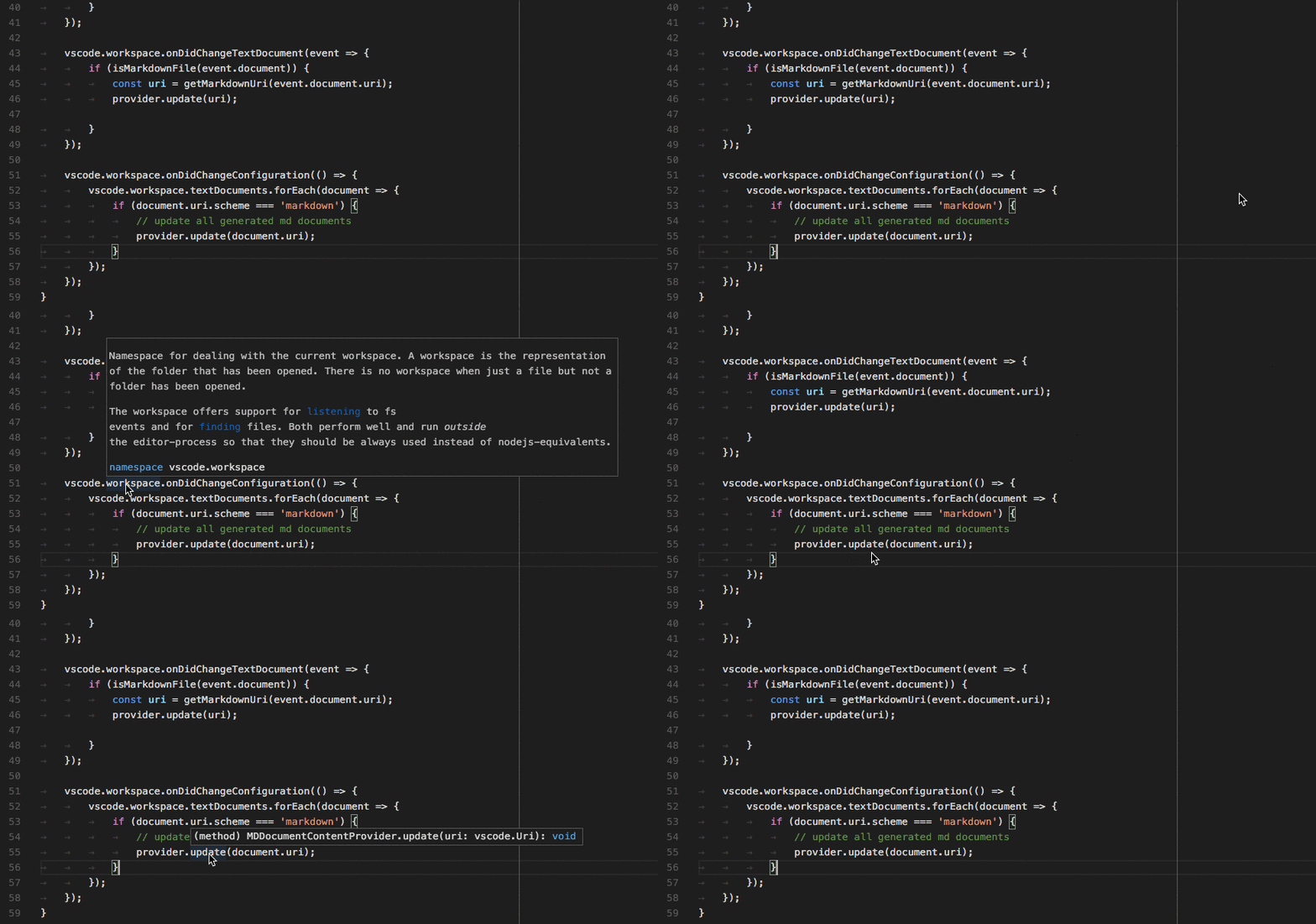
ホバーは、マウスカーソルの下にあるシンボル/オブジェクトに関する情報を表示します。通常はシンボルの型と説明です。
Language Server Protocol
initialize メソッドの応答で、言語サーバーはホバーを提供する意思をアナウンスする必要があります。
{
    ...
    "capabilities" : {
        "hoverProvider" : "true",
        ...
    }
}
さらに、言語サーバーは textDocument/hover リクエストに応答する必要があります。
直接実装
class GoHoverProvider implements HoverProvider {
    public provideHover(
        document: TextDocument, position: Position, token: CancellationToken):
        Thenable<Hover> {
    ...
    }
}

export function activate(ctx: vscode.ExtensionContext): void {
    ...
    ctx.subscriptions.push(
        vscode.languages.registerHoverProvider(
            GO_MODE, new GoHoverProvider()));
    ...
}
基本
型情報を表示し、利用可能な場合はドキュメントを含めます。
高度な機能
コードのカラーリングと同じスタイルで、メソッドシグネチャをカラーリングします。
関数とメソッドのシグネチャのヘルプ
ユーザーが関数またはメソッドを入力すると、呼び出されている関数/メソッドに関する情報を表示します。

Language Server Protocol
initialize メソッドの応答で、言語サーバーはシグネチャヘルプを提供する意思をアナウンスする必要があります。
{
    ...
    "capabilities" : {
        "signatureHelpProvider" : {
            "triggerCharacters": [ '(' ]
        }
        ...
    }
}
さらに、言語サーバーは textDocument/signatureHelp リクエストに応答する必要があります。
直接実装
class GoSignatureHelpProvider implements SignatureHelpProvider {
    public provideSignatureHelp(
        document: TextDocument, position: Position, token: CancellationToken):
        Promise<SignatureHelp> {
    ...
    }
}

export function activate(ctx: vscode.ExtensionContext): void {
    ...
    ctx.subscriptions.push(
        vscode.languages.registerSignatureHelpProvider(
            GO_MODE, new GoSignatureHelpProvider(), '(', ','));
    ...
}
基本
シグネチャヘルプに、関数またはメソッドのパラメーターのドキュメントが含まれていることを確認してください。
高度な機能
追加情報なし。
シンボルの定義の表示
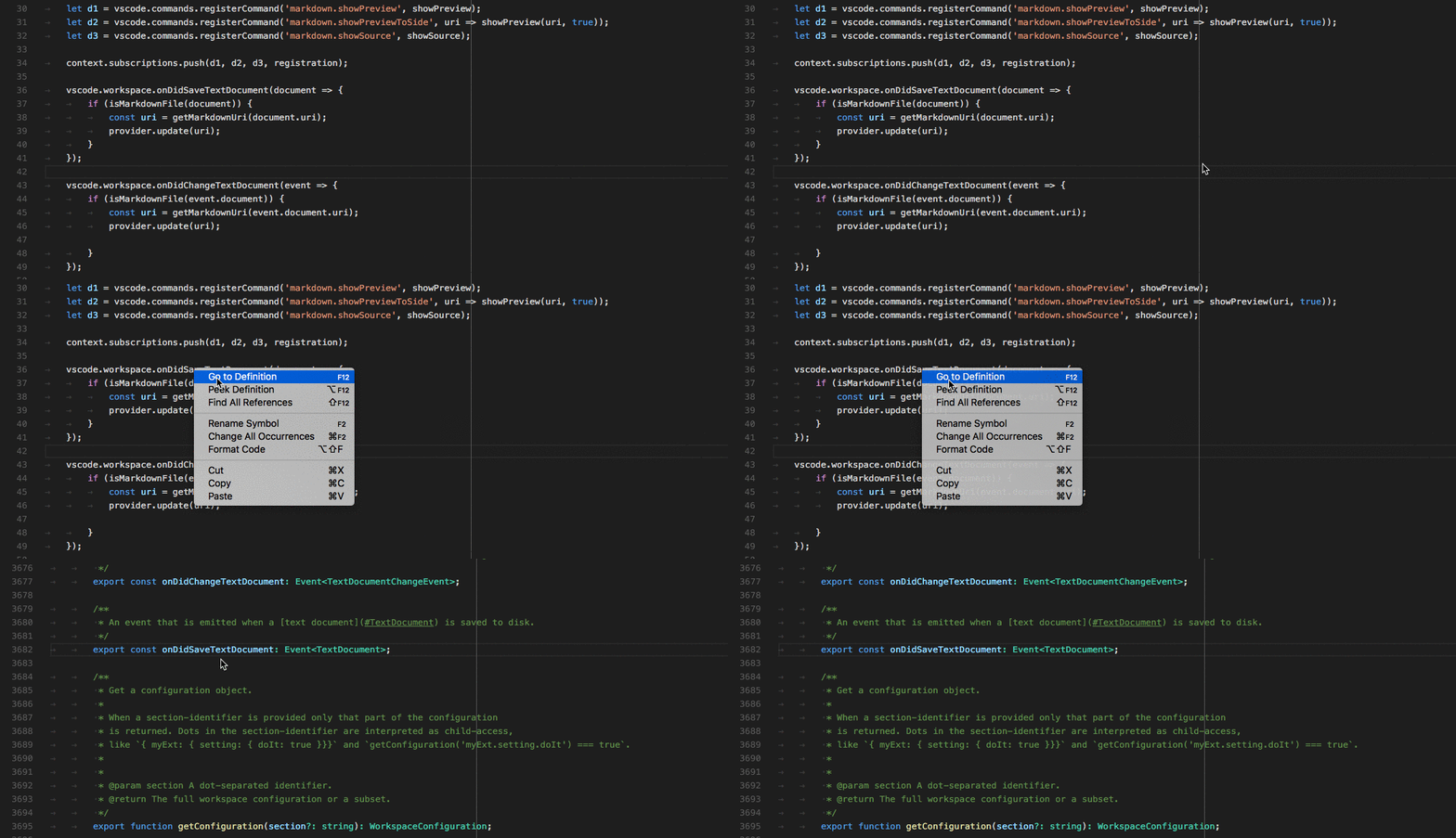
ユーザーが変数/関数/メソッドが使用されている場所で、その定義を確認できるようにします。
Language Server Protocol
initialize メソッドの応答で、言語サーバーは定義への移動場所を提供する意思をアナウンスする必要があります。
{
    ...
    "capabilities" : {
        "definitionProvider" : "true"
        ...
    }
}
さらに、言語サーバーは textDocument/definition リクエストに応答する必要があります。
直接実装
class GoDefinitionProvider implements vscode.DefinitionProvider {
    public provideDefinition(
        document: vscode.TextDocument, position: vscode.Position, token: vscode.CancellationToken):
        Thenable<vscode.Location> {
    ...
    }
}

export function activate(ctx: vscode.ExtensionContext): void {
    ...
    ctx.subscriptions.push(
        vscode.languages.registerDefinitionProvider(
            GO_MODE, new GoDefinitionProvider()));
    ...
}
基本
シンボルが曖昧な場合は、複数の定義を表示できます。
高度な機能
追加情報なし。
シンボルのすべての参照の検索
ユーザーが、特定の変数/関数/メソッド/シンボルが使用されているすべてのソースコードの場所を確認できるようにします。
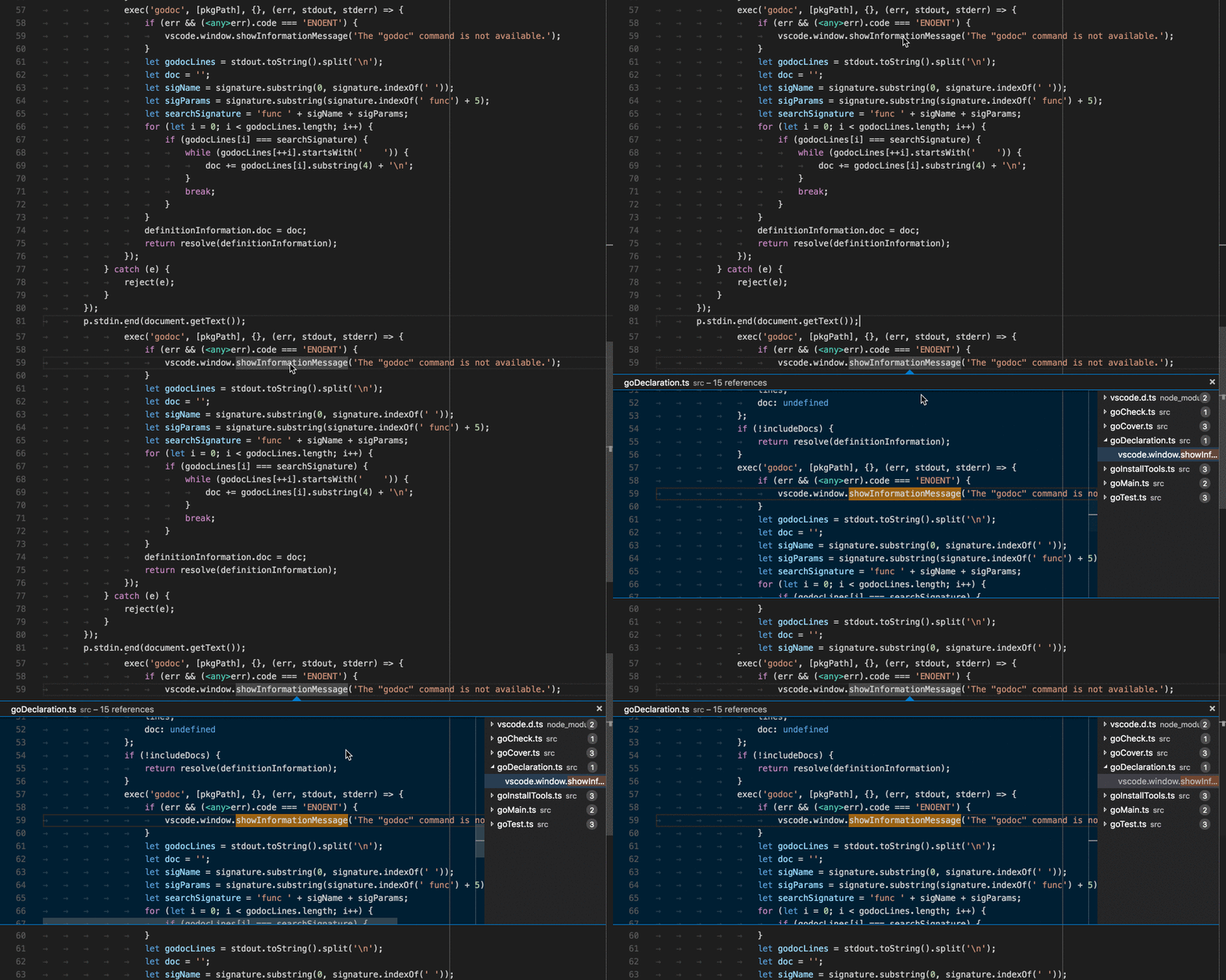
Language Server Protocol
initialize メソッドの応答で、言語サーバーはシンボル参照場所を提供する意思をアナウンスする必要があります。
{
    ...
    "capabilities" : {
        "referencesProvider" : "true"
        ...
    }
}
さらに、言語サーバーは textDocument/references リクエストに応答する必要があります。
直接実装
class GoReferenceProvider implements vscode.ReferenceProvider {
    public provideReferences(
        document: vscode.TextDocument, position: vscode.Position,
        options: { includeDeclaration: boolean }, token: vscode.CancellationToken):
        Thenable<vscode.Location[]> {
    ...
    }
}

export function activate(ctx: vscode.ExtensionContext): void {
    ...
    ctx.subscriptions.push(
        vscode.languages.registerReferenceProvider(
            GO_MODE, new GoReferenceProvider()));
    ...
}
基本
すべての参照の場所(リソース URI と範囲)を返します。
高度な機能
追加情報なし。
ドキュメント内のシンボルのすべての出現箇所のハイライト
ユーザーが開いているエディター内のシンボルのすべての出現箇所を確認できるようにします。
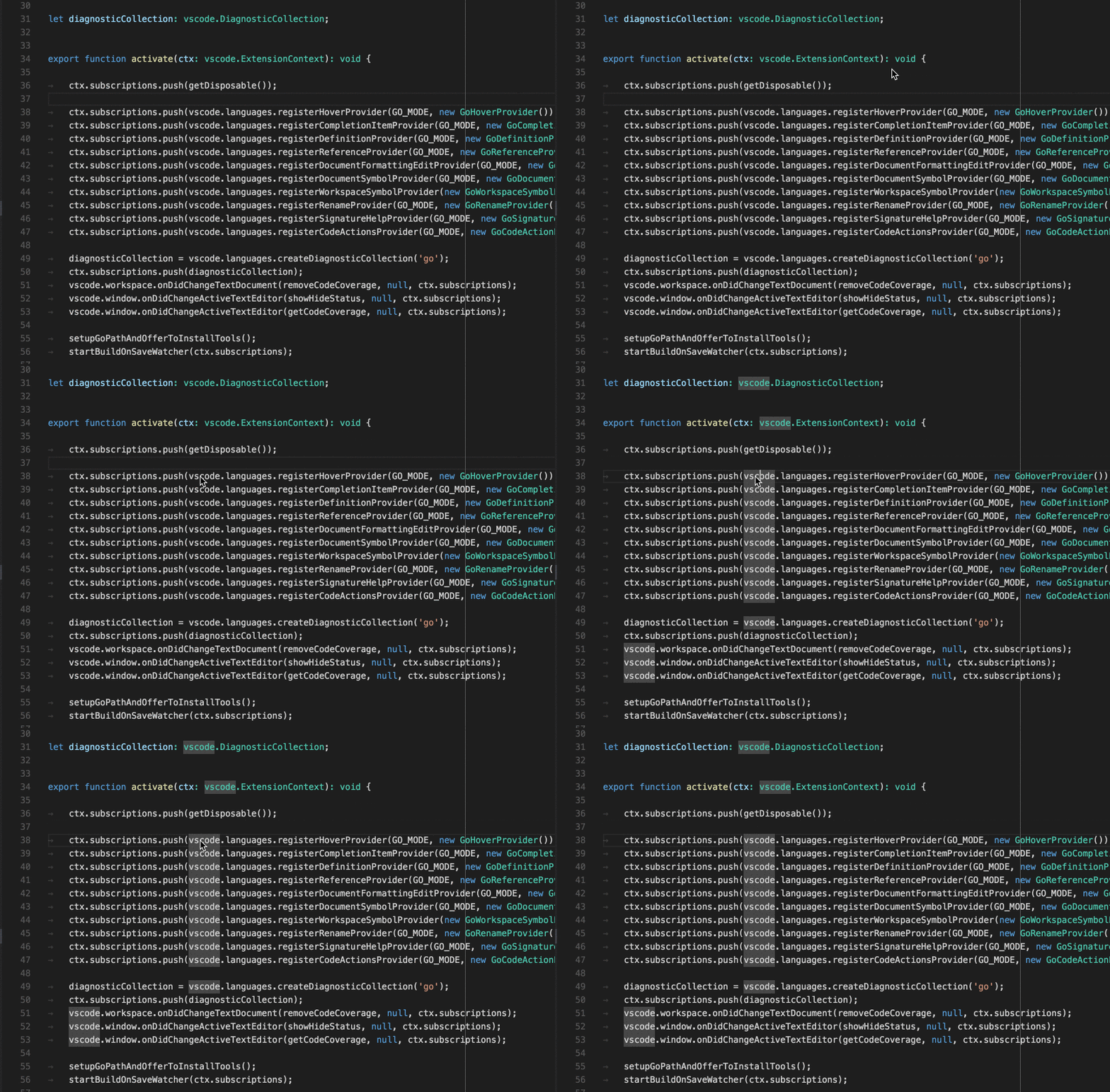
Language Server Protocol
initialize メソッドの応答で、言語サーバーはシンボル ドキュメントの場所を提供する意思をアナウンスする必要があります。
{
    ...
    "capabilities" : {
        "documentHighlightProvider" : "true"
        ...
    }
}
さらに、言語サーバーは textDocument/documentHighlight リクエストに応答する必要があります。
直接実装
class GoDocumentHighlightProvider implements vscode.DocumentHighlightProvider {
    public provideDocumentHighlights(
        document: vscode.TextDocument, position: vscode.Position, token: vscode.CancellationToken):
        vscode.DocumentHighlight[] | Thenable<vscode.DocumentHighlight[]>;
    ...
    }
}

export function activate(ctx: vscode.ExtensionContext): void {
    ...
    ctx.subscriptions.push(
        vscode.languages.registerDocumentHighlightProvider(
            GO_MODE, new GoDocumentHighlightProvider()));
    ...
}
基本
参照が見つかったエディターのドキュメント内の範囲を返します。
高度な機能
追加情報なし。
ドキュメント内のすべてのシンボル定義の表示
ユーザーが開いているエディター内の任意のシンボル定義にすばやく移動できるようにします。

Language Server Protocol
initialize メソッドの応答で、言語サーバーはシンボル ドキュメントの場所を提供する意思をアナウンスする必要があります。
{
    ...
    "capabilities" : {
        "documentSymbolProvider" : "true"
        ...
    }
}
さらに、言語サーバーは textDocument/documentSymbol リクエストに応答する必要があります。
直接実装
class GoDocumentSymbolProvider implements vscode.DocumentSymbolProvider {
    public provideDocumentSymbols(
        document: vscode.TextDocument, token: vscode.CancellationToken):
        Thenable<vscode.SymbolInformation[]> {
    ...
    }
}

export function activate(ctx: vscode.ExtensionContext): void {
    ...
    ctx.subscriptions.push(
        vscode.languages.registerDocumentSymbolProvider(
            GO_MODE, new GoDocumentSymbolProvider()));
    ...
}
基本
ドキュメント内のすべてのシンボルを返します。変数、関数、クラス、メソッドなどのシンボルの種類を定義します。
高度な機能
追加情報なし。
フォルダー内のすべてのシンボル定義の表示
ユーザーが VS Code で開いているフォルダー(ワークスペース)内の任意の場所にあるシンボル定義にすばやく移動できるようにします。

Language Server Protocol
initialize メソッドの応答で、言語サーバーはグローバル シンボル場所を提供する意思をアナウンスする必要があります。
{
    ...
    "capabilities" : {
        "workspaceSymbolProvider" : "true"
        ...
    }
}
さらに、言語サーバーは workspace/symbol リクエストに応答する必要があります。
直接実装
class GoWorkspaceSymbolProvider implements vscode.WorkspaceSymbolProvider {
    public provideWorkspaceSymbols(
        query: string, token: vscode.CancellationToken):
        Thenable<vscode.SymbolInformation[]> {
    ...
    }
}

export function activate(ctx: vscode.ExtensionContext): void {
    ...
    ctx.subscriptions.push(
        vscode.languages.registerWorkspaceSymbolProvider(
            new GoWorkspaceSymbolProvider()));
    ...
}
基本
開いているフォルダー内のソースコードで定義されているすべてのシンボルを返します。変数、関数、クラス、メソッドなどのシンボルの種類を定義します。
高度な機能
追加情報なし。
エラーまたは警告に対する可能なアクション
エラーまたは警告の横に、ユーザーに可能な修正アクションを提供します。アクションが利用可能な場合、エラーまたは警告の横に電球が表示されます。ユーザーが電球をクリックすると、利用可能なコード アクションのリストが表示されます。
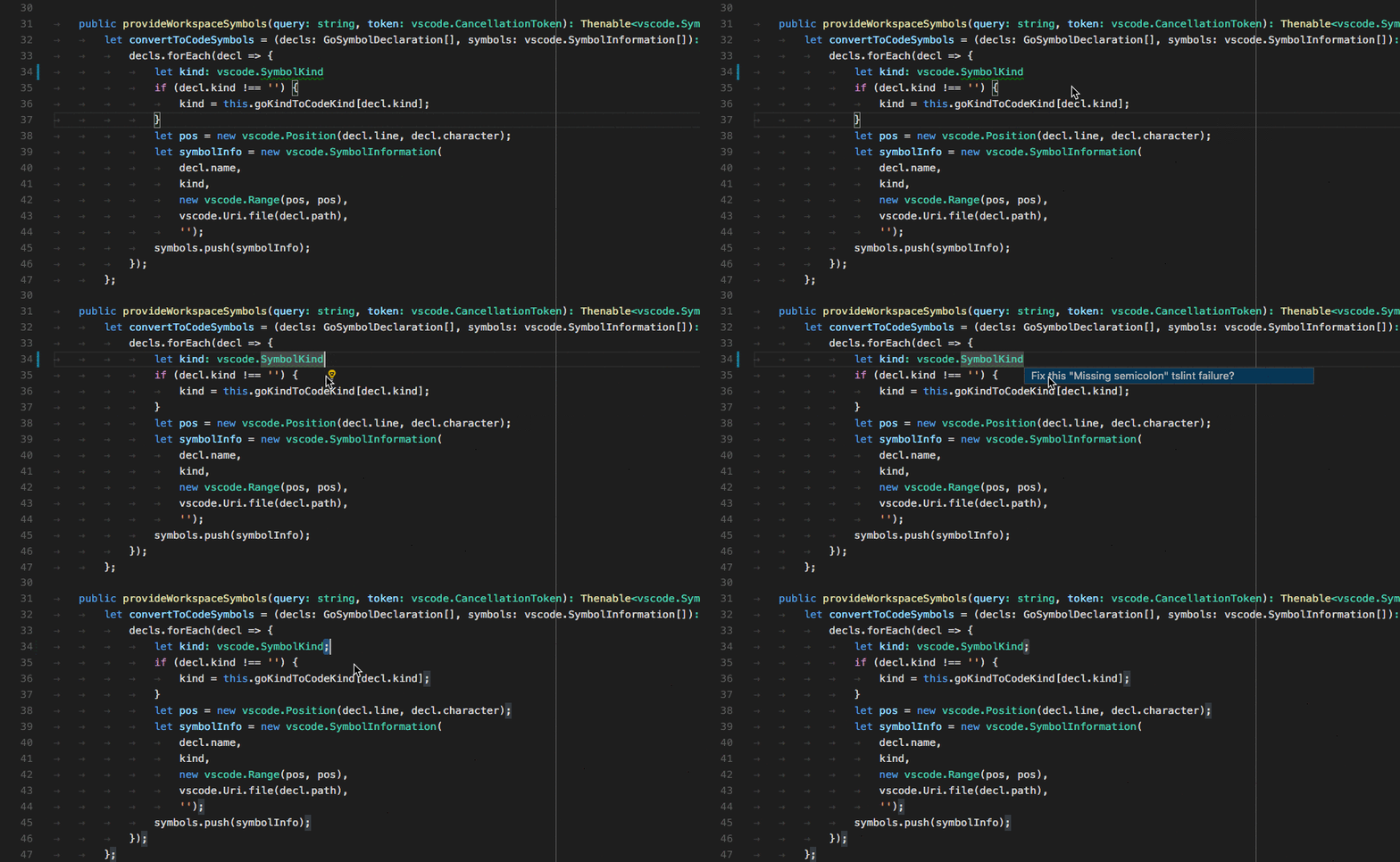
Language Server Protocol
initialize メソッドの応答で、言語サーバーはコード アクションを提供する意思をアナウンスする必要があります。
{
    ...
    "capabilities" : {
        "codeActionProvider" : "true"
        ...
    }
}
さらに、言語サーバーは textDocument/codeAction リクエストに応答する必要があります。
直接実装
class GoCodeActionProvider implements vscode.CodeActionProvider<vscode.CodeAction> {
    public provideCodeActions(
        document: vscode.TextDocument, range: vscode.Range | vscode.Selection,
        context: vscode.CodeActionContext, token: vscode.CancellationToken):
        Thenable<vscode.CodeAction[]> {
    ...
    }
}

export function activate(ctx: vscode.ExtensionContext): void {
    ...
    ctx.subscriptions.push(
        vscode.languages.registerCodeActionsProvider(
            GO_MODE, new GoCodeActionProvider()));
    ...
}
基本
エラー/警告修正アクションのためのコード アクションを提供します。
高度な機能
さらに、リファクタリングなどのソース コード操作アクションも提供します。たとえば、メソッドの抽出。
CodeLens - ソース コード内にアクション可能なコンテキスト情報を表示
ソース コードに散りばめられた、アクション可能なコンテキスト情報ユーザーに提供します。
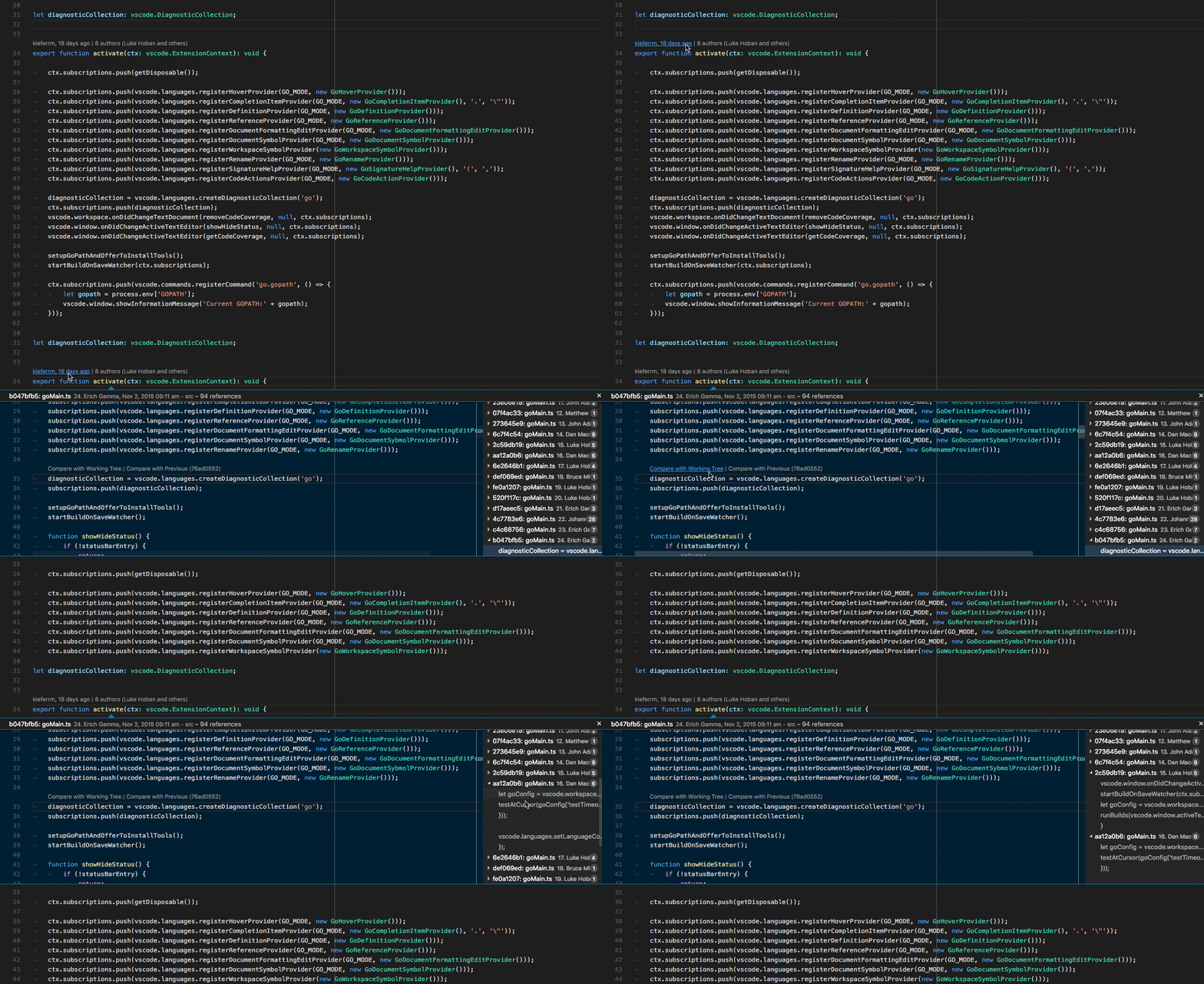
Language Server Protocol
initialize メソッドの応答で、言語サーバーは CodeLens 結果を提供する意思と、CodeLens をコマンドにバインドするために codeLens\resolve メソッドをサポートするかどうかをアナウンスする必要があります。
{
    ...
    "capabilities" : {
        "codeLensProvider" : {
            "resolveProvider": "true"
        }
        ...
    }
}
さらに、言語サーバーは textDocument/codeLens リクエストに応答する必要があります。
直接実装
class GoCodeLensProvider implements vscode.CodeLensProvider {
    public provideCodeLenses(document: TextDocument, token: CancellationToken):
        CodeLens[] | Thenable<CodeLens[]> {
    ...
    }

    public resolveCodeLens?(codeLens: CodeLens, token: CancellationToken):
         CodeLens | Thenable<CodeLens> {
    ...
    }
}

export function activate(ctx: vscode.ExtensionContext): void {
    ...
    ctx.subscriptions.push(
        vscode.languages.registerCodeLensProvider(
            GO_MODE, new GoCodeLensProvider()));
    ...
}
基本
ドキュメントで利用可能な CodeLens 結果を定義します。
高度な機能
codeLens/resolveに応答して、CodeLens 結果をコマンドにバインドします。
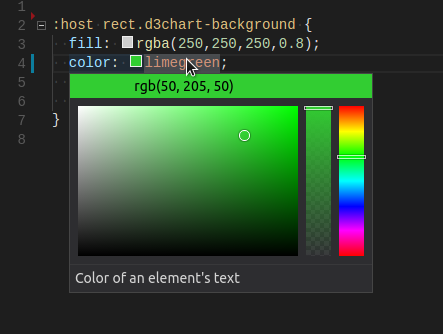
カラーデコレータの表示
ユーザーがドキュメント内の色をプレビューおよび変更できるようにします。
Language Server Protocol
initialize メソッドの応答で、言語サーバーは色情報を提供する意思をアナウンスする必要があります。
{
    ...
    "capabilities" : {
        "colorProvider" : "true"
        ...
    }
}
さらに、言語サーバーは textDocument/documentColor および textDocument/colorPresentation リクエストに応答する必要があります。
直接実装
class GoColorProvider implements vscode.DocumentColorProvider {
    public provideDocumentColors(
        document: vscode.TextDocument, token: vscode.CancellationToken):
        Thenable<vscode.ColorInformation[]> {
    ...
    }
    public provideColorPresentations(
        color: Color, context: { document: TextDocument, range: Range }, token: vscode.CancellationToken):
        Thenable<vscode.ColorPresentation[]> {
    ...
    }
}

export function activate(ctx: vscode.ExtensionContext): void {
    ...
    ctx.subscriptions.push(
        vscode.languages.registerColorProvider(
            GO_MODE, new GoColorProvider()));
    ...
}
基本
ドキュメント内のすべての色の参照を返します。サポートされている色の形式(例: rgb(...), hsl(...))のカラープレゼンテーションを提供します。
高度な機能
追加情報なし。
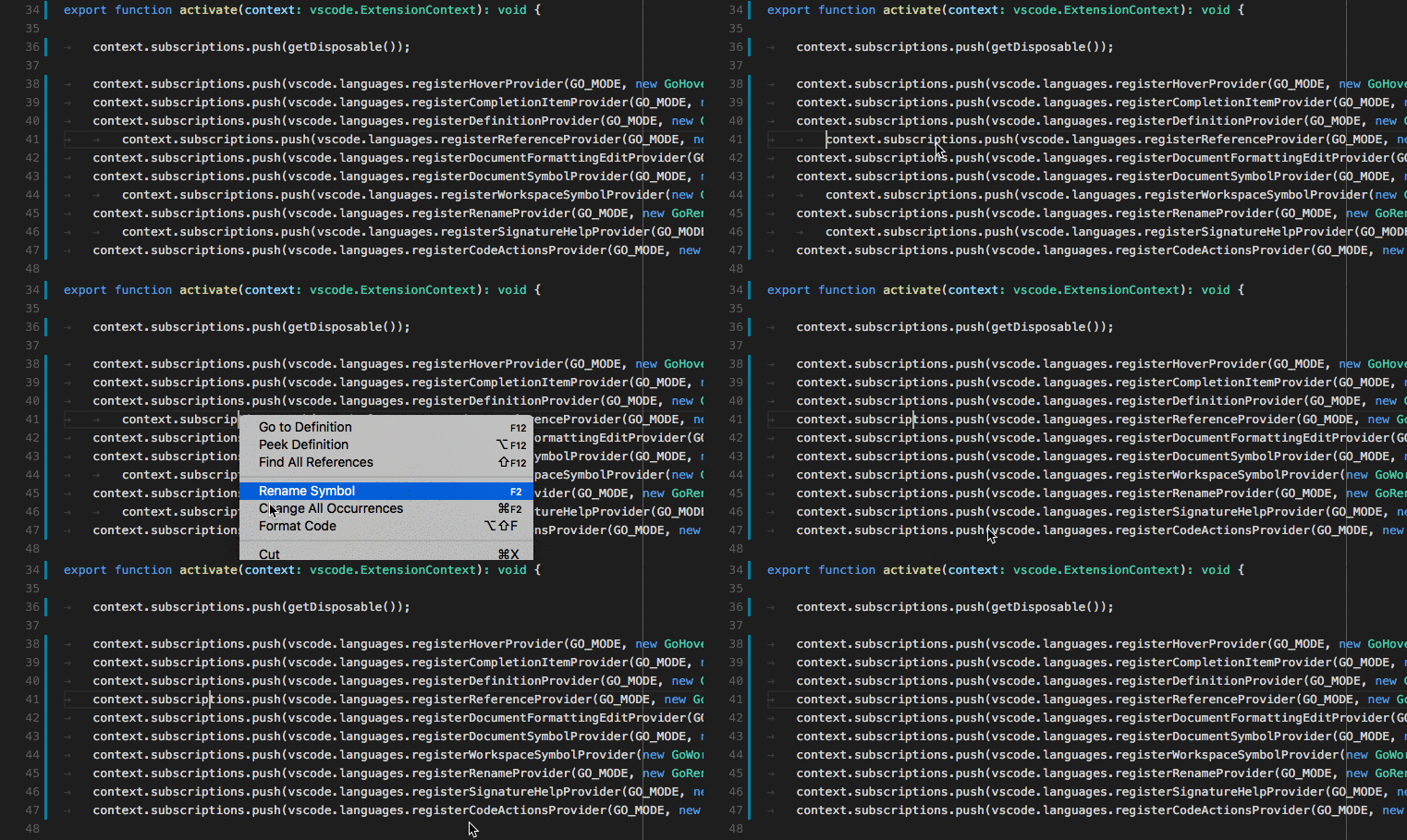
エディターでのソースコードのフォーマット
ドキュメント全体をフォーマットするためのサポートをユーザーに提供します。
Language Server Protocol
initialize メソッドの応答で、言語サーバーはドキュメント フォーマットを提供する意思をアナウンスする必要があります。
{
    ...
    "capabilities" : {
        "documentFormattingProvider" : "true"
        ...
    }
}
さらに、言語サーバーは textDocument/formatting リクエストに応答する必要があります。
直接実装
class GoDocumentFormatter implements vscode.DocumentFormattingEditProvider {
    provideDocumentFormattingEdits(
        document: vscode.TextDocument, options: vscode.FormattingOptions, token: vscode.CancellationToken)
        : vscode.ProviderResult<vscode.TextEdit[]> {
    ...
    }
}

export function activate(ctx: vscode.ExtensionContext): void {
    ...
    ctx.subscriptions.push(
        vscode.languages.registerDocumentFormattingEditProvider(
            GO_MODE, new GoDocumentFormatter()));
    ...
}
基本
フォーマット サポートを提供しません。
高度な機能
ソース コードがフォーマットされる結果として、可能な限り最小限のテキスト編集を常に返す必要があります。これは、診断結果などのマーカーが正しく調整され、失われないようにするために非常に重要です。
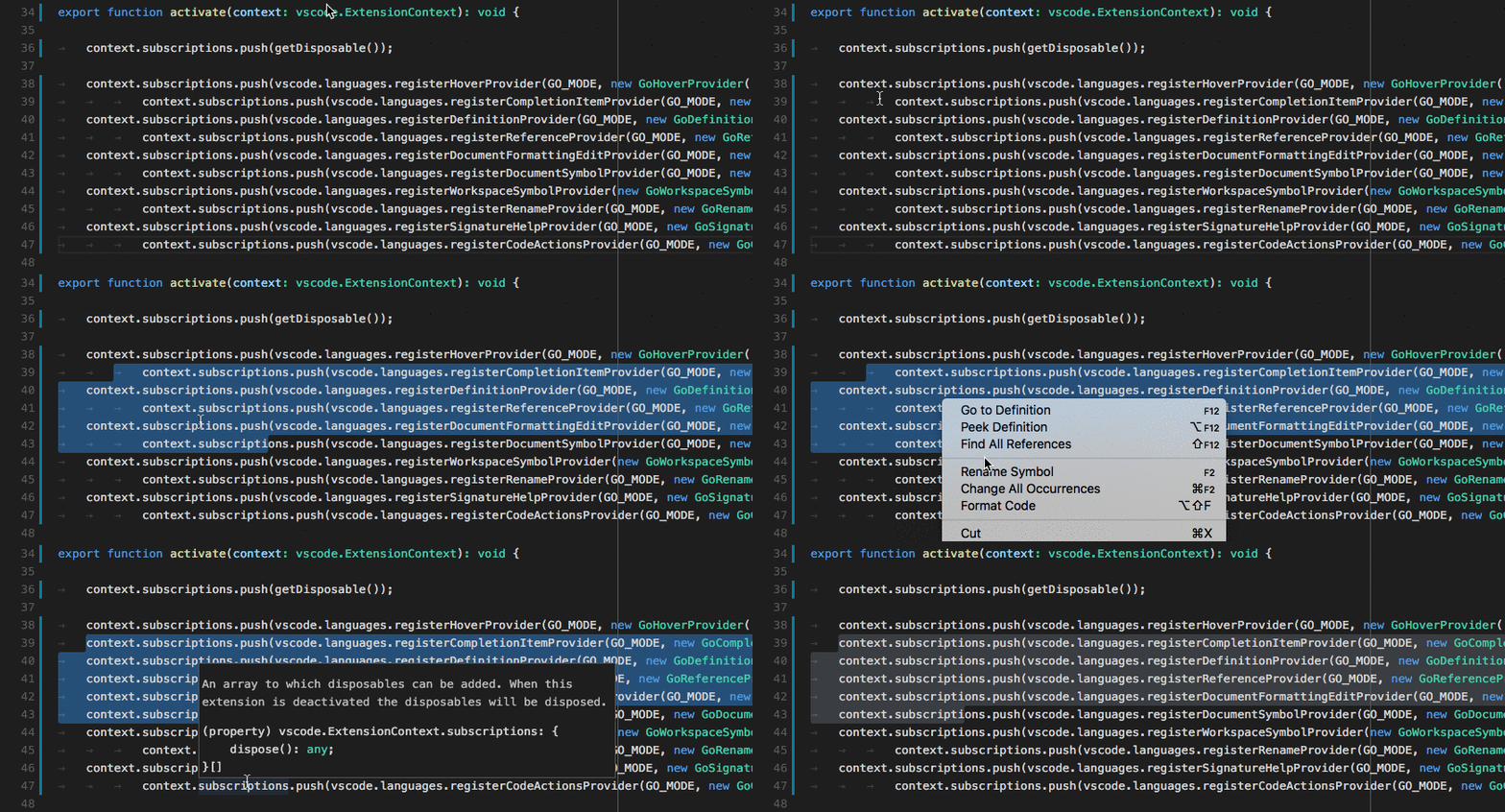
エディターでの選択行のフォーマット
ドキュメントの行の選択範囲をフォーマットするためのサポートをユーザーに提供します。
Language Server Protocol
initialize メソッドの応答で、言語サーバーは行の範囲のフォーマット サポートを提供する意思をアナウンスする必要があります。
{
    ...
    "capabilities" : {
        "documentRangeFormattingProvider" : "true"
        ...
    }
}
さらに、言語サーバーは textDocument/rangeFormatting リクエストに応答する必要があります。
直接実装
class GoDocumentRangeFormatter implements vscode.DocumentRangeFormattingEditProvider{
    public provideDocumentRangeFormattingEdits(
        document: vscode.TextDocument, range: vscode.Range,
        options: vscode.FormattingOptions, token: vscode.CancellationToken):
        vscode.ProviderResult<vscode.TextEdit[]> {
    ...
    }
}

export function activate(ctx: vscode.ExtensionContext): void {
    ...
    ctx.subscriptions.push(
        vscode.languages.registerDocumentRangeFormattingEditProvider(
            GO_MODE, new GoDocumentRangeFormatter()));
    ...
}
基本
フォーマット サポートを提供しません。
高度な機能
ソース コードがフォーマットされる結果として、可能な限り最小限のテキスト編集を常に返す必要があります。これは、診断結果などのマーカーが正しく調整され、失われないようにするために非常に重要です。
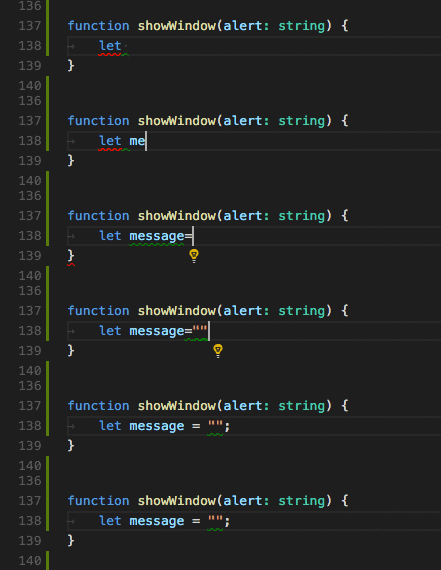
ユーザーが入力中にコードを段階的にフォーマット
ユーザーが入力中にコードをフォーマットするためのサポートをユーザーに提供します。
注意: ユーザーの editor.formatOnType 設定は、ソースコードが入力中にフォーマットされるかどうかを制御します。
Language Server Protocol
initialize メソッドの応答で、言語サーバーは、ユーザーが入力中にフォーマットを提供する意思をアナウンスする必要があります。また、どの文字でフォーマットがトリガーされるかをクライアントに伝える必要があります。moreTriggerCharacters はオプションです。
{
    ...
    "capabilities" : {
        "documentOnTypeFormattingProvider" : {
            "firstTriggerCharacter": "}",
            "moreTriggerCharacter": [";", ","]
        }
        ...
    }
}
さらに、言語サーバーは textDocument/onTypeFormatting リクエストに応答する必要があります。
直接実装
class GoOnTypingFormatter implements vscode.OnTypeFormattingEditProvider{
    public provideOnTypeFormattingEdits(
        document: vscode.TextDocument, position: vscode.Position,
        ch: string, options: vscode.FormattingOptions, token: vscode.CancellationToken):
        vscode.ProviderResult<vscode.TextEdit[]> {
    ...
    }
}

export function activate(ctx: vscode.ExtensionContext): void {
    ...
    ctx.subscriptions.push(
        vscode.languages.registerOnTypeFormattingEditProvider(
            GO_MODE, new GoOnTypingFormatter()));
    ...
}
基本
フォーマット サポートを提供しません。
高度な機能
ソース コードがフォーマットされる結果として、可能な限り最小限のテキスト編集を常に返す必要があります。これは、診断結果などのマーカーが正しく調整され、失われないようにするために非常に重要です。
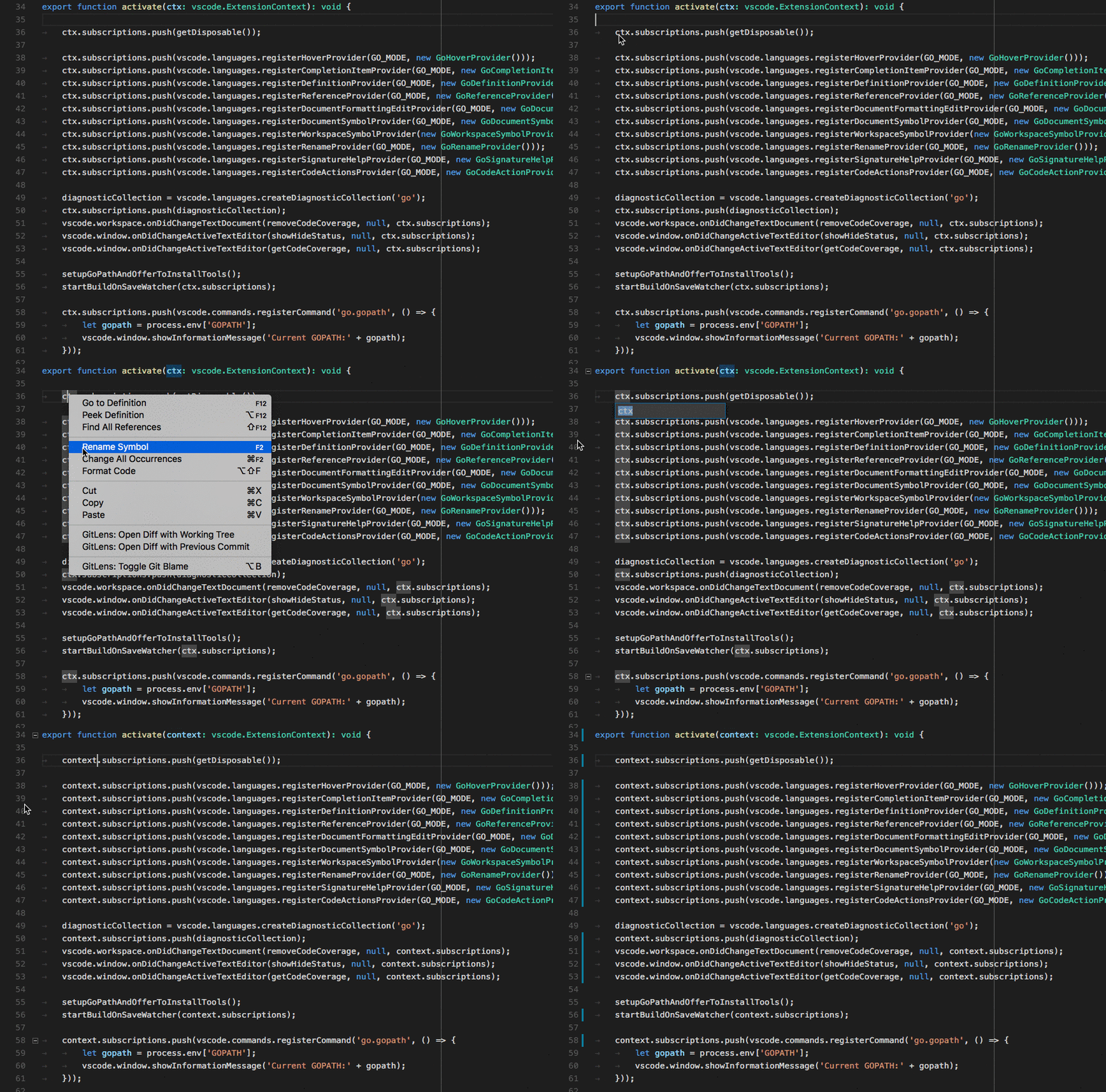
シンボルの名前変更
ユーザーがシンボルの名前を変更し、そのシンボルへのすべての参照を更新できるようにします。
Language Server Protocol
initialize メソッドの応答で、言語サーバーは名前変更を提供する意思をアナウンスする必要があります。
{
    ...
    "capabilities" : {
        "renameProvider" : "true"
        ...
    }
}
さらに、言語サーバーは textDocument/rename リクエストに応答する必要があります。
直接実装
class GoRenameProvider implements vscode.RenameProvider {
    public provideRenameEdits(
        document: vscode.TextDocument, position: vscode.Position,
        newName: string, token: vscode.CancellationToken):
        Thenable<vscode.WorkspaceEdit> {
    ...
    }
}

export function activate(ctx: vscode.ExtensionContext): void {
    ...
    ctx.subscriptions.push(
        vscode.languages.registerRenameProvider(
            GO_MODE, new GoRenameProvider()));
    ...
}
基本
名前変更サポートを提供しません。
高度な機能
実行する必要があるすべてのワークスペース編集のリストを返します。たとえば、シンボルへの参照を含むすべてのファイルでのすべての編集です。